How to Check Resume Readability Before Applying
Check exported text, headings, dates, job requirements, and application fields without relying on a universal ATS passing score.
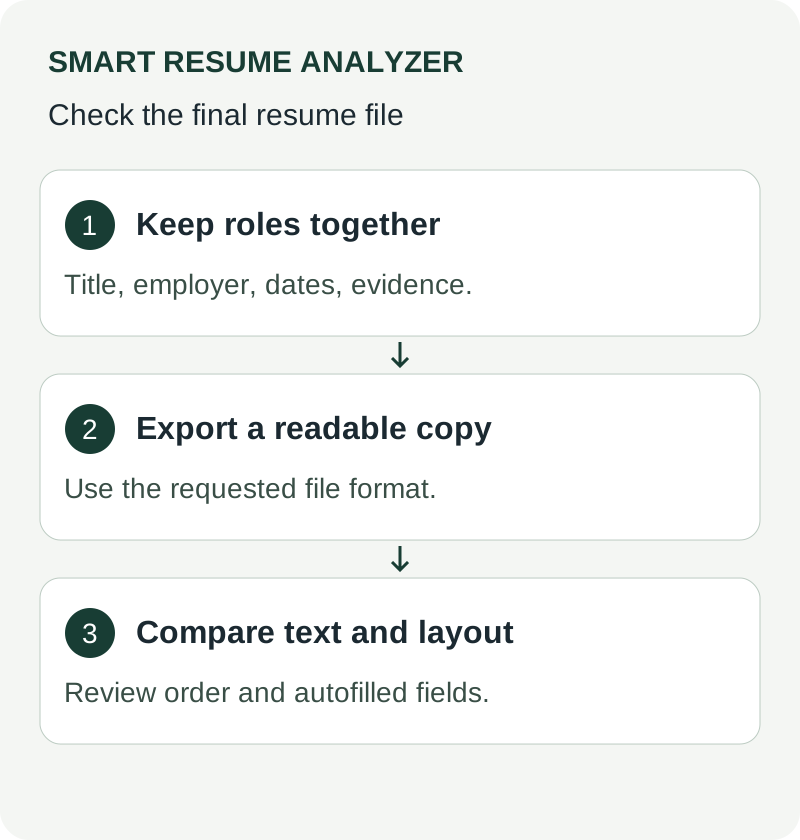
Start with the file you will submit
Export the final resume, open it, and try selecting and copying the text into a plain-text editor. Check whether the reading order still makes sense. A failed copy test is a warning to investigate; it does not prove that every employer’s parser will fail, because extraction tools differ.
Check contact details, employer names, titles, and date ranges against the original. If content disappears, simplify the layout and export again. Follow the file type and size requirements on the actual application form.
Use headings that explain the content
Labels such as Experience, Education, Skills, and Projects make the structure clear. A creative heading is not proof of rejection, but it can make a section harder to interpret. Keep each job title and date range next to the relevant employer.
Illustrative check: a two-column export
Imagine that copying a two-column resume places the Skills list between the first and second bullets of a job. Export a single-column version and repeat the copy test. Keep the version whose text follows the intended order. This is a document inspection example, not a claim about a specific vendor’s parser.
Compare with one job description
Use the job matcher for the vacancy you intend to apply to. Review each missing term against your real experience. A keyword gap might mean unclear wording, a genuine skills gap, or an irrelevant suggestion. Do not insert unsupported skills to reach a number.
Review the application itself
After uploading, inspect any imported fields and the attachment preview if available. Fix application fields directly where needed. Our ATS checker provides independent feedback; it does not certify the employer’s upload or predict shortlisting.
Record what your readability check actually establishes
Compare the visual document, copied text, and the fields extracted by the employer’s portal. Note a specific problem such as a missing email address or a date associated with the wrong role. Fix that problem and repeat the check. Do not interpret a local ATS score as a probability of selection or a guarantee of compatibility with Workday, Lever, or another platform. Correct parsing does not establish that the applicant meets the job requirements.
Use These Tools Next
Use a working tool to apply this guidance to your own resume or job description.
Related Resume Pages
Explore related keyword and resume guidance pages to keep improving your application materials.
Using this guidance
Use these guides to check a specific part of your application. Automated feedback is guidance, not a hiring prediction. Check suggested edits against your own experience.
Related Articles
Continue with another guide on this topic.
Tool Guides
Compare Resume Versions Before You Apply: What Actually Improved?
Comparing resume versions helps you see what actually improved, what regressed, and which draft is stronger before you apply.
Resume Guides
Full-Stack Resume Bullet Rewrites (Before & After)
Full-stack developer resume examples with before-and-after bullet rewrites that show frontend and backend impact for ATS and recruiters.
Resume Writing
GitHub Profiles and Portfolio Links on Your Resume: What Recruiters Actually Check in 2026
Select relevant projects, explain your contributions, and make your GitHub or portfolio links easy to find and review.