Rewrite Weak Resume Bullets Into IT Achievements
Rewrite weak resume bullets into strong IT achievement statements with action verbs, scope, and measurable results that pass ATS review.
Module 1, Understand What Makes a Strong Resume Bullet
Estimated time: 5 to 7 minutes
A strong resume bullet does three things at once. It starts with an action verb. It names the work clearly. It shows an outcome, scale, or business result when you can support it.
Weak bullets often sound busy but say little. Phrases like “helped with projects” or “responsible for system support” describe duties, not impact. Recruiters skim fast, and ATS checker systems scan for relevant terms too. A stronger bullet gives both readers and software a clearer signal.
For IT candidates, clarity matters. A good bullet should show what you did, what changed, and why the work mattered. You do not need every bullet to include a number, but measurable detail makes the statement stronger when you have it. For example, “Resolved support tickets” becomes more useful when you add volume, speed, or result. The goal is simple. Turn task lists into evidence.
Guided walkthrough
- Read one bullet from your resume.
- Ask three questions:
- What action did I take?
- What tool, system, or process did I work on?
- What changed because of my work?
- Rewrite the bullet so the action comes first.
- Add one measurable detail if you know it.
- Check whether the sentence still reads naturally for a recruiter.
Screenshot 1: Original bullet review
Alt text: A resume bullet with vague wording highlighted in yellow.
- Callout 1: “helped” signals a weak action verb.
- Callout 2: No outcome appears.
- Callout 3: No scope, metric, or result appears.
Screenshot 2: Rewritten bullet with structure
Alt text: A revised resume bullet showing action, task, and result in three colored segments.
- Callout 1: Strong verb at the start.
- Callout 2: Clear IT task or system.
- Callout 3: Outcome or metric at the end.
Hands-on exercise
Rewrite this bullet:
- “Helped maintain internal systems and supported users.”
Success criterion: Your rewrite starts with a strong verb and adds either a measurable result, a clear system name, or a specific scope.
Knowledge check
- What are the three parts of a strong bullet?
- Why do action verbs matter?
- What makes a bullet easier to scan in an ATS resume checker?
What we covered:
- Strong bullets show action, scope, and result.
- Vague duty statements do not help much.
- Recruiters and resume analyzer tools both respond better to clear structure.
What’s next:
- Follow Module 2 to fix the most common weak bullet types.
Module 2, Fix Vague and Generic Bullet Points
Estimated time: 5 to 8 minutes
Vague bullets hide the value of your work. They often use words like “helped,” “assisted,” “worked on,” or “responsible for.” Those words are not wrong, but they rarely tell a complete story. A hiring manager cannot easily see your contribution.
Generic bullets also blur your role. “Worked on application support” could mean many things. Did you resolve tickets, improve uptime, support deployments, or document workflows? The reader should not guess. A strong rewrite makes the contribution specific.
For example, “Worked on application support” can become “Resolved application support issues for internal users and documented recurring incidents for faster follow-up.” That version still stays factual, but it says more. If you know the number of users, tickets, or systems, add it. If you do not, be precise about the process or environment instead.
Guided walkthrough
- Find one vague bullet.
- Circle the weak phrase, such as “helped” or “worked on.”
- Replace it with a stronger verb, such as “resolved,” “built,” “configured,” “updated,” or “streamlined.”
- Add the system, tool, or team context.
- Add the result if you have it.
Screenshot 1: Generic bullet before rewrite
Alt text: A resume bullet with the words “worked on” highlighted.
- Callout 1: The verb is too broad.
- Callout 2: The task lacks context.
- Callout 3: No result appears.
Screenshot 2: Specific bullet after rewrite
Alt text: The same bullet rewritten with a stronger verb and clearer IT context.
- Callout 1: Stronger opening verb.
- Callout 2: Specific work area.
- Callout 3: Outcome or process detail added.
Worked example
Before:
- Worked on internal system support.
After:
- Resolved internal system support requests and documented recurring issues for faster follow-up.
This version tells the reader more. It also gives the resume more searchable language for resume analyzer tools and ats checker systems.
Hands-on exercise
Rewrite this bullet:
- “Assisted with software support tasks.”
Success criterion: Your rewrite removes the generic phrasing and shows exactly what support work you handled.
Knowledge check
- Why do generic verbs weaken a resume bullet?
- What can you add when you do not have a number?
- How does specific wording help an ATS and a recruiter?
What we covered:
- Generic bullets hide contribution.
- Specific verbs and context improve clarity.
- Precision improves both human reading and automated screening.
What’s next:
- Move to Module 3 for measuring outcomes without guessing.
Module 3, Add Metrics and Outcomes Without Forcing Them
Estimated time: 5 to 8 minutes
Metrics make bullets stronger because they show scale. They can include counts, time saved, frequency, volume, or reduced error rates. For IT candidates, a bullet may show tickets handled, users supported, systems maintained, deployments completed, or documentation updated. Use only numbers you can defend.
A weak bullet says what happened. A stronger bullet shows what changed. For example, “Updated system documentation” is fine, but “Updated system documentation for recurring support issues, reducing repeated questions” says more. If you know the count of documents, users, or issues, add it. If not, focus on outcome language that stays true to your experience.
You do not need complex math. Simple metrics are enough. A timeline, a quantity, or a clear comparison can help. For example, “Supported 30 internal users” or “Closed recurring incidents faster through improved notes” gives the reader a sharper picture. The goal is not decoration. The goal is proof.
Guided walkthrough
- Review the bullet for a place where a number fits.
- Look for volume, frequency, scope, or time.
- Add a metric only if you know it.
- If you lack a number, describe the outcome clearly.
- Keep the sentence short and direct.
Screenshot 1: Bullet missing a measurable detail
Alt text: A bullet with the phrase “updated documentation” underlined.
- Callout 1: The action is clear.
- Callout 2: The scale is missing.
- Callout 3: The result is unclear.
Screenshot 2: Bullet with metric added
Alt text: A rewritten bullet with a number highlighted in blue.
- Callout 1: Metric added where it fits naturally.
- Callout 2: Result stays readable.
- Callout 3: The bullet still sounds like real experience.
Worked example
Before:
- Managed support tickets.
After:
- Managed 40 plus support tickets per week and resolved recurring issues through faster triage.
This is stronger because it adds volume and outcome. It also gives an ats resume checker more concrete terms to parse.
Hands-on exercise
Rewrite this bullet:
- “Prepared reports for the team.”
Success criterion: Your rewrite includes a measurable detail or a clear outcome the team could value.
Knowledge check
- What kinds of metrics can strengthen an IT resume bullet?
- Why should you avoid making up numbers?
- What should you do if you cannot add a metric?
What we covered:
- Metrics show scale and impact.
- Simple numbers are enough.
- Honest outcomes are better than invented precision.
What’s next:
- Continue with Module 4 to use action verbs well.
Module 4, Choose Strong Action Verbs for IT Work
Estimated time: 5 to 7 minutes
Action verbs set the tone of the bullet. They tell the reader what you actually did. Weak verbs make the sentence feel passive or unclear. Strong verbs make the work visible.
For IT resumes, useful verbs often describe building, configuring, resolving, documenting, deploying, testing, maintaining, improving, or analyzing. These verbs fit common technical work. They also work well in a resume builder because they create clean, direct sentences.
Verb choice should match the task. Use “configured” when you set up a system. Use “resolved” when you fixed an issue. Use “documented” when you created or improved written guidance. Do not overstate your role. A verb should match your real contribution. If you supported a deployment, do not say you led it unless that is accurate.
Guided walkthrough
- Identify the main action in the bullet.
- Choose a verb that matches the action exactly.
- Place the verb at the start of the bullet.
- Add the object of the action, such as a tool, process, or system.
- Add the result if possible.
Screenshot 1: Verb selection menu
Alt text: A list of action verbs grouped by IT tasks such as support, build, and analysis.
- Callout 1: Verbs are grouped by use case.
- Callout 2: The best verb matches the real task.
- Callout 3: Avoid overclaiming.
Screenshot 2: Bullet rewritten with a strong verb
Alt text: A sentence starting with “Configured” highlighted in green.
- Callout 1: Action verb leads the sentence.
- Callout 2: The task is identifiable.
- Callout 3: The sentence feels more direct.
Worked example
Before:
- Was in charge of system updates.
After:
- Updated system configurations and documented changes for the support team.
This sentence is clearer and more active. It also avoids filler language that weakens recruiter appeal.
Hands-on exercise
Rewrite this bullet:
- “Was responsible for software testing.”
Success criterion: Your rewrite begins with a precise verb and names the testing work more specifically.
Knowledge check
- Why does verb choice matter so much?
- Which verb fits configuration work better, “managed” or “configured”?
- What happens if the verb does not match the real task?
What we covered:
- Action verbs make bullets more readable.
- The verb should fit the actual work.
- Clear verbs help both humans and software scan the resume.
What’s next:
- Go to Module 5 for a repeatable rewrite framework.
Module 5, Use a Repeatable Rewrite Framework
Estimated time: 5 to 8 minutes
A repeatable framework saves time. It also keeps your bullets consistent. Use this simple structure:
Action verb + task + scale or tool + outcome
This formula gives you a reliable starting point. It works for support work, system work, documentation, and analysis. For example, “Resolved login issues for internal users, reducing repeated support requests” follows the pattern well. The formula stays short and practical.
You can revise the formula depending on what you know. If you have no metric, use the tool or environment. If the outcome is unclear, tighten the task and keep the wording honest. The point is to make rewriting faster and more consistent across the resume. A good resume analyzer can still detect the relevant terms, and a recruiter can still understand the value.
Guided walkthrough
- Start with the strongest true action verb.
- Add the object of your work.
- Add a tool, team, system, or scale detail.
- Add the result or business value.
- Trim any extra words that do not add meaning.
Screenshot 1: Framework template
Alt text: A four-part formula displayed in boxes, labeled action, task, scale, and outcome.
- Callout 1: Start with action.
- Callout 2: Add concrete work.
- Callout 3: Close with result.
Screenshot 2: Framework applied to a sample bullet
Alt text: The formula filled in with a completed IT resume bullet.
- Callout 1: Each part of the formula is visible.
- Callout 2: The final bullet reads naturally.
- Callout 3: No filler words remain.
Worked example
Before:
- Helped with user access requests.
After:
- Processed user access requests and updated account records to keep access status accurate.
This rewrite is stronger because it follows a structure. It also supports cleaner parsing in a free ats resume checker.
Hands-on exercise
Rewrite this bullet using the formula:
- “Worked on database maintenance tasks.”
Success criterion: Your final bullet includes an action verb, the task, and either a tool, scale detail, or outcome.
Knowledge check
- What are the four parts of the framework?
- Why does a framework help when you have many bullets to rewrite?
- How can you stay honest if you do not know the outcome?
What we covered:
- A fixed formula speeds up rewriting.
- The framework supports consistency across bullets.
- Honest specificity matters more than fancy wording.
What’s next:
- Read Module 6 to avoid common ATS and recruiter mistakes.
Module 6, Improve ATS Compatibility and Recruiter Appeal Together
Estimated time: 5 to 7 minutes
ATS compatibility and recruiter appeal do not conflict. A resume bullet can serve both. Clear language helps software parse the text, and specific wording helps people trust the evidence. The best bullets avoid graphics, clutter, and vague wording.
Resume bullets should use standard formatting. Keep the bullet structure simple. Use job-relevant terms where they are accurate. A free ats resume checker can help you review whether the language looks clean and scannable. Recruiters also respond well to bullets that look intentional and easy to understand.
The key is balance. Do not stuff every bullet with keywords. Do not write only duties. Aim for readable, job-relevant statements that show real work. If a bullet sounds like a task list, rewrite it. If it sounds like proof, keep it.
Guided walkthrough
- Check whether the bullet reads clearly out loud.
- Look for missing verbs, vague words, or clutter.
- Confirm the terminology matches the target IT role.
- Remove extra filler words.
- Recheck the bullet in a resume review tool if needed.
Screenshot 1: Bullet with clutter removed
Alt text: A before-and-after comparison showing a shorter, cleaner bullet on the right.
- Callout 1: Cleaner phrasing.
- Callout 2: Better keyword focus.
- Callout 3: Easier to scan quickly.
Screenshot 2: ATS-friendly final version
Alt text: A final bullet displayed in a clean text layout with no special formatting.
- Callout 1: Plain formatting helps readability.
- Callout 2: The wording is specific.
- Callout 3: The bullet still sounds human.
Worked example
Before:
- Responsible for system support and team coordination.
After:
- Provided system support for internal users and coordinated issue follow-up across the team.
This version keeps the meaning but improves clarity and scanability.
Hands-on exercise
Rewrite this bullet:
- “Supported project tasks and handled updates.”
Success criterion: Your rewrite remains simple, readable, and relevant to an IT resume review.
Knowledge check
- Why should a bullet work for both ATS and recruiters?
- What formatting choices usually help readability?
- Why should you avoid keyword stuffing?
What we covered:
- Clear bullets help people and software.
- Simple formatting matters.
- Job-relevant wording beats filler.
What’s next:
- Continue to Module 7 for a full rewrite workflow you can reuse.
Module 7, Apply the Full Rewrite Workflow to Real Examples
Estimated time: 6 to 8 minutes
This module brings the pieces together. Start with a weak bullet, identify the problem, apply a strong verb, add detail, and tighten the sentence. That process works across many IT roles, including support, systems, testing, and operations.
Use this workflow every time:
- Identify the weak spot.
- Choose a stronger verb.
- Add context.
- Add a metric or outcome if available.
- Trim the sentence.
The best way to learn is by comparing before and after. You will see how small changes make the sentence stronger. You do not need complicated language. You need clear proof. A polished bullet can help a resume builder draft feel much more application-ready.
Guided walkthrough
- Pick one weak bullet.
- Write the problem beside it.
- Rewrite it using the framework.
- Read both versions aloud.
- Keep the version that sounds sharp, specific, and true.
Screenshot 1: Problem-first rewrite sheet
Alt text: A worksheet with columns for original bullet, problem, and revised bullet.
- Callout 1: Problem identified first.
- Callout 2: Rewrite follows the framework.
- Callout 3: Final version stays concise.
Screenshot 2: Side-by-side example list
Alt text: Three weak bullets on the left and three stronger versions on the right.
- Callout 1: The stronger versions open with action verbs.
- Callout 2: The revised bullets include more detail.
- Callout 3: The structure stays consistent.
Worked examples
Example 1
- Before: Helped with ticket management.
- After: Managed support tickets and tracked recurring issues to improve follow-up.
Example 2
- Before: Worked on software testing.
- After: Tested software updates and documented defects for the development team.
Example 3
- Before: Assisted with database work.
- After: Supported database maintenance tasks and documented changes for review.
Each rewrite improves clarity without pretending to do more than the original role.
Hands-on exercise
Rewrite three weak bullets from your own resume using the workflow above.
Success criterion: Each rewritten bullet begins with a strong verb and includes at least one concrete detail.
Knowledge check
- Which step comes first in the rewrite workflow?
- Why should you compare the old and new bullet aloud?
- What should you do if the rewrite sounds stronger but no longer feels true?
What we covered:
- The full rewrite process is repeatable.
- Comparison helps you spot improvements.
- Truthful precision matters most.
What’s next:
- Review the glossary, troubleshooting section, and cheat sheet below.
Glossary
- ATS: Applicant Tracking System, software that helps employers manage applications.
- ATS checker: A tool that reviews resume language and structure for ATS readability.
- Resume analyzer: A tool that examines resume content and flags areas for improvement.
- Resume builder: A tool that helps create and format a resume.
- Action verb: A strong verb that starts a bullet and describes what you did.
- Metric: A number that shows scale, volume, time, or results.
- Outcome: The result of your work.
Troubleshooting
If your bullets still sound weak
You probably kept vague verbs like “helped” or “assisted.” Replace them with a direct action verb.
If you cannot find a metric
Use a clear outcome, tool, system, or process detail instead. Do not invent numbers.
If the bullet feels too long
Cut filler words. Keep the action, task, and result. Shorter often reads better.
If the bullet sounds too technical
Use plain language where possible. The goal is clarity, not jargon.
If the bullet fits the work but not the target role
Adjust the wording to match the relevant system, tool, or responsibility from the role description.
Downloadable cheat sheet
Resume bullet rewrite formula:
Action verb + task + scale or tool + outcome
Strong verb examples for IT resumes:
- Configured
- Resolved
- Documented
- Updated
- Tested
- Maintained
- Improved
- Supported
- Analyzed
- Deployed
Quick self-check before you save:
- Does the bullet start with a strong verb?
- Does it say what you actually did?
- Does it include a number, tool, or outcome when available?
- Does it read clearly to a recruiter?
- Would an ats resume checker still understand it?
Conclusion
Strong resume bullets turn routine IT work into clear evidence. The formula is simple. Start with an action verb. Add the task. Include a metric or outcome when you can verify it. Keep the sentence honest and easy to scan.
You now have a repeatable method for rewriting weak bullets into stronger achievement statements. Use it on every line of your resume. Small edits can make a real difference when a recruiter scans quickly and an ats checker reads for relevance.
Related tools
Check one bullet before rewriting
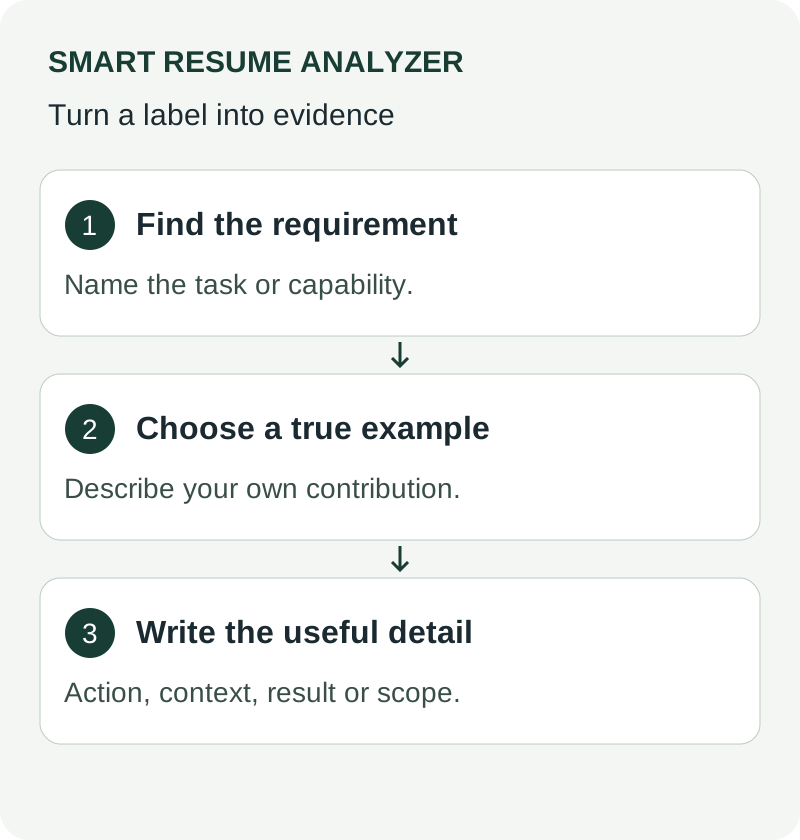
For each bullet, identify the action, object, context, and verified outcome or scope. An illustrative draft, “Responsible for reports,” becomes “Built the weekly exception report used by the support team to review unresolved billing cases.” The rewrite names the work without inventing a percentage. Check whether you owned the task or contributed to a team result. Keep that distinction visible. Read the final bullet aloud and remove repeated wording. A suggestion from an AI tool still needs a factual review against your actual work.
Further guidance: CareerOneStop resume guide
Put the guidance into practice
Rewrite resume bullets from your analyzed resume. Use your own document and target role, and review suggested wording against your actual experience before applying.
Review a bullet rewrite against your records
The AI resume rewriter starts from an uploaded, analyzed resume and can use an optional job description. It returns summary, experience-bullet and skills suggestions. It does not start from a standalone paste-one-bullet input, so use the current resume you actually intend to revise.
For each suggested bullet, check the action, scope and result separately. Keep a number only if you can support it from your records; an unsupported metric should be removed, not made more persuasive. Check that the rewrite does not imply sole ownership of a team outcome. Compare the revised wording with the original using the resume comparison tool, then keep the version that states your work most accurately for the role.
Use Harvard’s resume guidance alongside the tool when reviewing how clearly the document presents your experience.
Use These Tools Next
Use a working tool to apply this guidance to your own resume or job description.
Related Resume Pages
Explore related keyword and resume guidance pages to keep improving your application materials.
Using this guidance
Use these guides to check a specific part of your application. Automated feedback is guidance, not a hiring prediction. Check suggested edits against your own experience.
Related Articles
Continue with another guide on this topic.
Resume Writing
Turn Job Duties Into ATS-Friendly Resume Achievements
A framework for rewriting responsibility-style bullets into achievements an ATS can read, with role examples and how to quantify honestly.
Resume Writing
Achievement-Focused Resume Bullets for Tech Roles
A reusable formula for tech resume bullets, with before-and-after rewrites by role and how to stay measurable without inflating claims.
Career Development
Career Change Resume: How to Use an AI Resume Rewriter to Bridge the Skills Gap
Describe transferable experience in language relevant to your target role, while checking that rewritten bullets preserve the facts.