Skills for a Resume: Choose Terms You Can Demonstrate
Choose resume skills from a real job posting, distinguish tools from general strengths, and support each important skill with evidence.
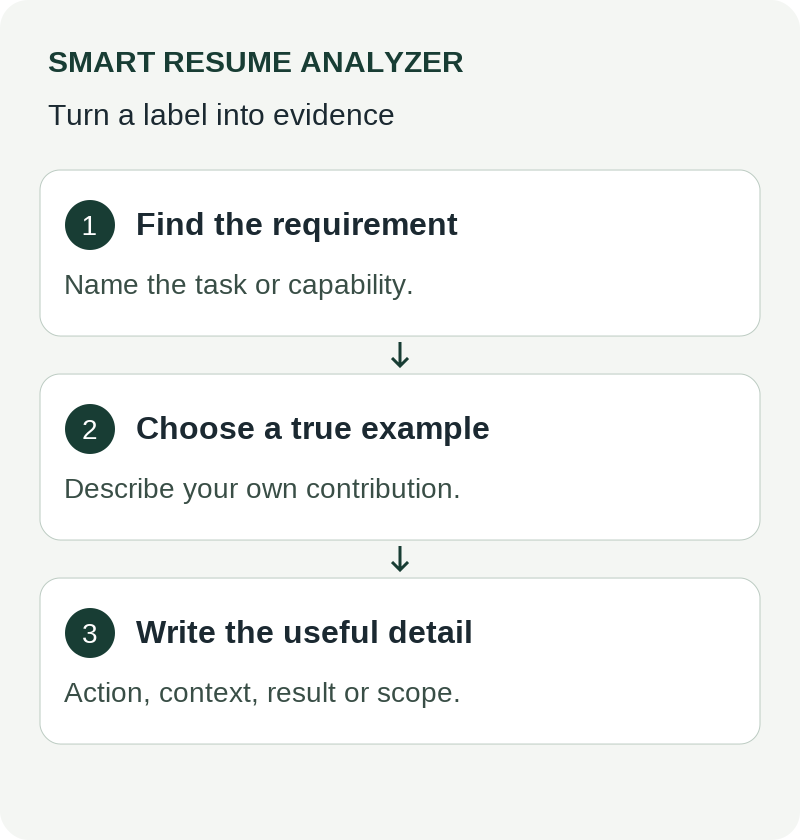
A skills section should make relevant abilities easy to locate. It cannot substitute for evidence elsewhere in your resume. Start with the vacancy you actually want, then select skills you can explain through work, study, volunteering or a project.
Build a requirements-to-evidence map
Copy five important requirements into a private worksheet. For each one, record what you did, where you did it, and which example you could discuss in an interview. Leave a requirement blank if you have no supporting experience; a blank is useful information, not a reason to invent a skill.
| Posting asks for | Evidence you might have | Resume treatment |
|---|---|---|
| Spreadsheet reporting | Reconciled weekly stock counts | Name the spreadsheet tool and describe the task |
| Customer communication | Explained return options at a service desk | Show the situation in an experience bullet |
| Project coordination | Maintained deadlines for a student event | State the scale and your responsibility |
These are fictional examples, not qualifications to copy. The same term may mean different work in different roles: reporting could involve a prepared spreadsheet or a production data pipeline.
Separate tools from strengths
A compact skills section might read: Tools: Excel, Google Sheets, Zendesk. Work practices: ticket triage, order reconciliation, customer email support. Include only tools and practices you actually used. A list of adjectives such as hardworking, motivated and friendly tells the reader less than a specific example of handling an unfamiliar request.
Avoid skill bars and percentages unless you can explain their measurement. “Excel 90%” has no shared definition. “Excel: pivot tables, lookups and monthly reconciliation” gives the reader a clearer basis for a question, provided all three are true.
Turn one skill into evidence
Weak: “Excellent problem-solving skills.”
More specific fictional version: “Investigated recurring delivery complaints by checking order history and carrier updates; documented the cause and the next action in each ticket.”
The stronger version describes a process. It does not need an invented percentage improvement. If you have a verified result, add it with its timeframe and scope.
Check the final list
Remove skills unrelated to the role, unsupported expert labels and terms copied only to increase a match score. Keep legitimate acronyms alongside their expanded form when the posting uses both. Finally, check that the most important skill appears in an example, rather than only in the list.
Which skills to list
List the skills the posting asks for that you can honestly claim, plus a few others central to your field. Group them by type, such as tools, methods and languages, so they are easy to scan. Skip skills so basic that they add nothing, and avoid listing a skill you cannot demonstrate.
Proving a skill
For each important skill, make sure the resume contains a bullet, project or credential showing it. A skill with no evidence invites a question you may not be ready for.
Hard and soft skills
Technical skills fit well in a skills section. Soft skills such as communication or leadership are better shown in bullets with a specific example, since a list of adjectives proves nothing.
Keep it current
Review the section for every application, remove outdated tools and use the posting's spelling where it describes the same thing. Compare with a posting using resume job match, and check the extraction with the ATS parser.
Sources and next step
CareerOneStop: resume formatting and recognizable section headings
Use the job description keyword finder to identify candidate terms, then verify their meaning yourself.
Use These Tools Next
Use a working tool to apply this guidance to your own resume or job description.
Related Resume Pages
Explore related keyword and resume guidance pages to keep improving your application materials.
Using this guidance
Use these guides to check a specific part of your application. Automated feedback is guidance, not a hiring prediction. Check suggested edits against your own experience.
Related Articles
Continue with another guide on this topic.
Career Development
Career Change Resume: How to Use an AI Resume Rewriter to Bridge the Skills Gap
Describe transferable experience in language relevant to your target role, while checking that rewritten bullets preserve the facts.
Resume Writing
Choose Resume Action Verbs That Describe Your Contribution
Select accurate resume verbs for building, testing, analysis, coordination, documentation, and support, with examples that preserve your actual scope.
Executive Leadership
Executive Resume Writing: C-Suite Leadership Resume Mastery
Executive resumes should show business scope, transformation, and operating scale instead of reading like senior task lists.