ATS-Friendly Resume Text Conversion: A Manual Workflow
Convert a resume to plain text, then check dates, headings and reading order. A clean conversion shows the file is readable; it does not predict ATS results.
Converting a resume to text lets you inspect what remains when visual formatting is removed. It can reveal missing content, mixed-up sections, or broken characters. This guide uses existing editors and extraction tools; it is not a new converter or a certification of compatibility with every ATS.
Start with the original file
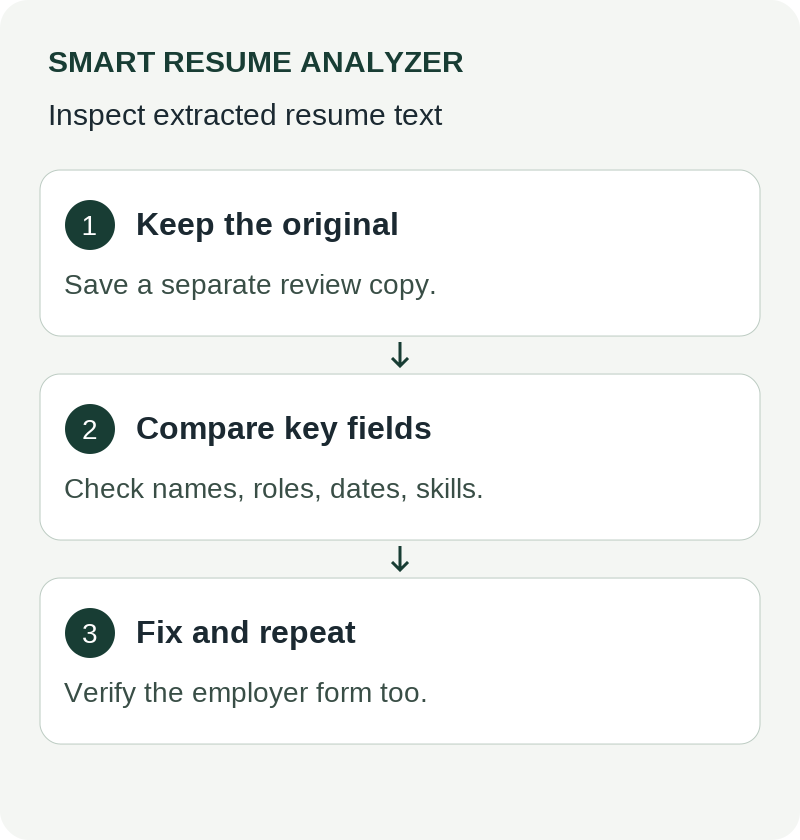
Keep a copy of the original DOCX or PDF. For a document with selectable text, copy the contents into a plain-text editor. In Word, you can also save a separate plain-text copy. Review the encoding and the resulting file before replacing any working document.
A scanned PDF may contain only images. In that case, OCR can extract a draft transcription, but it can misread names, dates, and technical terms. Use the site's existing resume parser where appropriate and verify the extracted text against the visible original. Check the site's privacy information before uploading personal material.
Compare one block at a time
| Original detail | Text check |
|---|---|
| Contact line | Complete name, email, and phone |
| Experience | Correct title, employer, and associated dates |
| Bullets | Words intact and in the intended order |
| Skills | No missing terms or substituted symbols |
| Education | Institution and qualification still connected |
An illustrative failure is a two-column resume whose dates appear in a separate list after all job titles. The visual PDF may look correct while the copied text is ambiguous. Moving dates into each role block makes the relationship explicit.
Clean the text without changing the facts
Replace decorative bullet symbols with ordinary hyphens if they become unreadable. Restore broken line wraps where a tool name was split across lines. Use standard headings such as Experience, Skills, and Education when those describe the section.
Do not add keywords simply because an extraction result seems sparse. Missing terms may represent a formatting problem, a genuine experience gap, or a requirement you have not demonstrated. Those are different editing decisions.
Use the right submission format
A text copy is useful for review and for portals that accept pasted content. It does not mean every employer accepts TXT attachments. Return to the format requested by the vacancy, export it, and inspect any autofilled fields after upload. Keep the text copy as a comparison artifact; repeat the review after substantial layout edits.
What a text conversion tells you
Converting a resume to plain text is a quick way to see how software may read it. If the plain text shows your name, contact details, titles and dates in sensible order, the file is probably readable. If sections are scrambled, the layout is the likely cause.
Common fixes after conversion
- Missing contact details: move them out of headers or text boxes.
- Mixed order: replace columns or tables with a single column.
- Odd symbols: use standard bullets and fonts.
- Lost links: write important addresses out in full.
Do not edit the text instead of the file
A clean text copy is useful when a form asks you to paste, but the file you upload should also read cleanly. Fix the source document and export again.
Verify
Check your file with the ATS parser, which shows the recovered text, and build a clean layout in the resume builder if needed.
Questions people ask
Does plain text mean I lose formatting? Yes, in the text copy. Keep the formatted file for the upload and use the text copy only for forms that ask you to paste.
Is a clean conversion a guarantee? No. It shows that your text can be read in order. Employers configure their own systems, so treat it as a useful check, not a prediction.
Sources and further reading
Use These Tools Next
Use a working tool to apply this guidance to your own resume or job description.
Related Resume Pages
Explore related keyword and resume guidance pages to keep improving your application materials.
Using this guidance
Use these guides to check a specific part of your application. Automated feedback is guidance, not a hiring prediction. Check suggested edits against your own experience.
Related Articles
Continue with another guide on this topic.
AI & Technology
AI Resume Analyzer: Understanding ATS Systems and Resume Optimization
AI resume analysis is most valuable when it speeds up revision loops and points to better edits, not just better scores.
Resume Tools
AI Resume Analyzer vs Resume Builder: What Job Seekers Actually Need
Resume builders help you create a draft. Resume analyzers help you improve one. Job seekers usually need both at different moments.
Resume Examples
ATS-Friendly Resume Example for Data Analysts
See an ATS-friendly resume example for data analysts, with a resume format for ATS, searchable skills, and experience tips.