Resume Examples That Parse Well in ATS Systems
See what makes resume examples parse well in ATS systems and how to borrow the structure without copying fake content.
Resume Examples That Parse Well In ATS Systems
What parses well is usually not about one magical design. It is about predictable structure, standard section names, and wording that stays legible when a parser strips away styling. The easiest way to think about ATS-friendly resume examples is this: if the document still makes sense as plain text, it is usually in a healthier place.
Patterns Strong ATS Examples Share
- standard headings like Summary, Skills, Experience, and Education
- dates and locations written consistently
- experience bullets with action, context, and result
- keywords placed where they belong instead of stuffed into one section
- plain readable contact details
Example Of A Better Experience Bullet
Weak:
Responsible for backend development and database tasks.
Stronger:
Built and maintained Laravel APIs and MySQL workflows that improved reporting accuracy and reduced manual operations work for internal teams.
What Makes Some Resume Examples Parse Badly
- tables used for layout
- multiple side-by-side columns
- headings like “What I Bring” instead of standard section names
- decorative design choices that separate labels from content
- project bullets with no technologies or results
Use Examples As Structure, Not As Copy
Resume examples help most when they show how to organize proof. They become harmful when candidates copy language that does not match their real experience. Borrow structure and evidence patterns, not fake accomplishments.
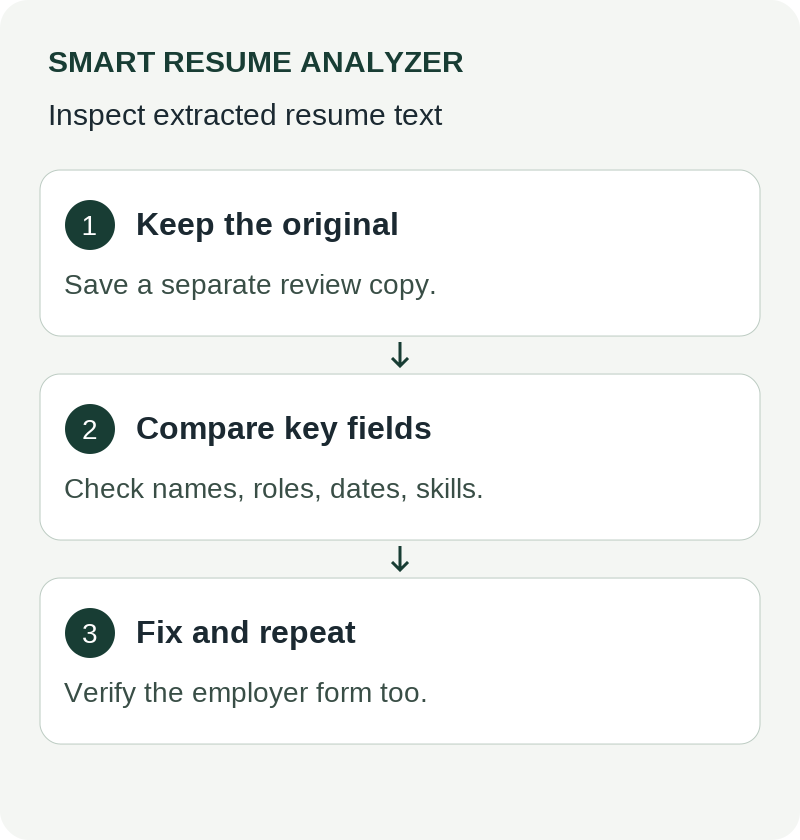
## Compare an example with your own exported text Use a sample to examine role blocks, dates, and section labels rather than borrowing its achievements. For a fictional developer, “Built API endpoints for booking requests and documented the project setup” demonstrates action without inventing a production result. For a support applicant, “Maintained the shift handover log” describes scope that can be checked. Copy your export into plain text and compare the order with the visual document. A readable example is not a benchmark proving compatibility with every parser. [Further guidance: CareerOneStop resume guide](https://cloudfront.careeronestop.org/JobSearch/Resumes/ResumeGuide/introduction.aspx?frd=true)How to read an example critically
An example is useful for its structure, not its words. When you look at one, ask what makes it easy to read: the order of the sections, how dates are aligned, how long the bullets are and how skills are grouped. Then apply those habits to your own facts.
What to copy and what not to
- Copy the layout: a single column, clear headings, consistent dates.
- Copy the bullet pattern: action, context and result.
- Do not copy the content: the achievements belong to someone else, and figures in an example are illustrative.
Test your own version
After adapting an example, export your file and run it through the ATS parser to confirm that the structure survived. Role-specific samples with before-and-after bullet rewrites are on the resume examples page.
Common questions
Are downloadable examples safe to use as they are? Not without checking. Some use tables or text boxes. Test any example with the ATS parser before relying on it.
How do I find an example for my role? Browse the role-based examples and read the annotations on why each line works, then adapt the structure to your own history.
A short routine for using any example
- Choose an example close to your role and level.
- Copy the structure, not the sentences.
- Replace every figure and tool with your own facts, and delete what you cannot support.
- Export and check the extraction before you send it.
Why some examples parse better than others
Examples that read well share a few habits. They keep contact details in the body, use standard headings and place dates on the same line as each role. They avoid tables, text boxes and image-based sections. When you study an example, look at these habits first, because they decide whether software can read the page.
Also check how the example handles skills. A plain line grouped by type reads cleanly, while a grid of icons or rating bars may not extract as text at all.
Use These Tools Next
Use a working tool to apply this guidance to your own resume or job description.
Related Resume Pages
Explore related keyword and resume guidance pages to keep improving your application materials.
Using this guidance
Use these guides to check a specific part of your application. Automated feedback is guidance, not a hiring prediction. Check suggested edits against your own experience.
Related Articles
Continue with another guide on this topic.
Resume Examples
Data Analyst Resume Examples That Fit the Role
Data analyst resume examples with before-and-after bullets that show tools, analysis, and business impact recruiters look for.
Resume Examples
IT Support Resume Examples That Get Noticed
IT support resume examples and bullet rewrites that highlight troubleshooting, ticketing, and user-support impact for ATS and recruiters.
Resume Tools
AI Resume Analyzer vs Resume Builder: What Job Seekers Actually Need
Resume builders help you create a draft. Resume analyzers help you improve one. Job seekers usually need both at different moments.