Resume Headline Examples: State Your Direction Without Inflating It
Write a short resume headline that names your professional direction, with examples for experienced applicants, career changers and students.
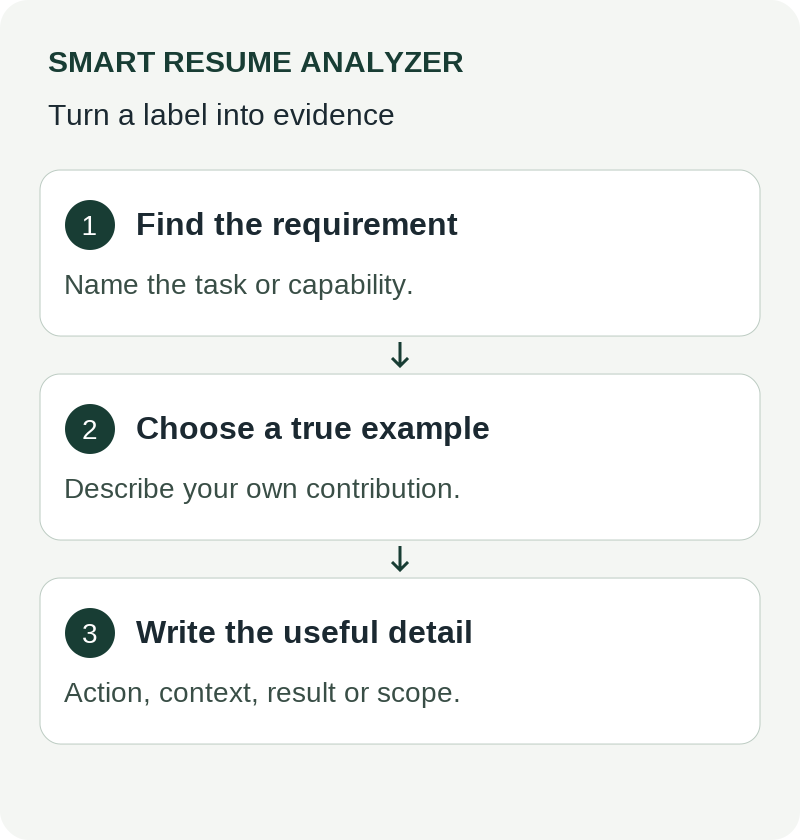
A resume headline is a short line below your name that helps orient the reader. It can identify your professional focus, but it should not invent a title or substitute for experience. A useful headline is precise enough to understand without becoming a list of search terms.
Headline, title and summary are different
Your employment title records the role you actually held. A headline presents the direction of the application. A summary adds context in a few sentences. Keep all three consistent so the headline does not imply seniority that the experience section cannot support.
For example, an applicant may use “Customer Support | Order Resolution and Email Service” as a focus line while retaining “Service Assistant” as the employment title. They should not silently rename the past role “Customer Experience Director.”
Original headline examples
| Situation | Possible headline | What must be true |
|---|---|---|
| Experienced administrator | Administrative Assistant: Calendar and Office Coordination | The experience supports both responsibilities |
| Analyst moving from operations | Operations Professional Transitioning to Data Analysis | The transition is genuine and the supporting work is visible |
| Student seeking a first role | Business Student: Customer Service and Event Support | The listed activities demonstrate those tasks |
| Returning professional | Finance Administrator: Reconciliation and Records | Past experience supports the focus; return timing can be explained elsewhere |
The table uses separators as punctuation, not as an instruction to include every phrase. These are fictional examples to adapt. A headline can be simpler than these when the target role is obvious.
Choose one priority
Read the posting and select the strongest connection to your experience. “Marketing, Sales, Finance, Administration, Data, Leadership” communicates no clear direction. Create a tailored version for each materially different application rather than adding every possible job family.
Do not call yourself certified, licensed or chartered unless you hold the relevant status. If a credential is in progress, make that status explicit in the appropriate section. A headline is too prominent a place for ambiguous credentials.
Keep it readable in the export
Place the line in the document body near your name. Check that it does not wrap into an oversized block or merge with contact details when copied as text. A decorative banner may look clear on screen while exporting poorly, so inspect the actual submission file.
Test whether the headline helps
Read just the headline and the first experience entry. Do they describe a coherent application? If the headline needs a long explanation to avoid misunderstanding, revise it or remove it. The evidence should carry the claim; the headline only introduces it.
What a good headline does
A headline sits at the top of the resume or a profile and tells the reader, in a line, what you do and for whom. It should name your role or target, one strength, and ideally a signal of scope, such as the type of product or industry. It is not a slogan, and it should be something you could back up in an interview.
A simple formula
Try "role, specialty, one proof point": for example, "Backend engineer, payments APIs, [number] years in fintech". Replace the brackets with your real details. If you are early in your career, lead with the target role and a strength you can show, such as "Junior data analyst, SQL and dashboards, recent graduate".
Common problems
- Too vague. "Results-driven professional" could describe anyone.
- Too long. If it wraps onto several lines, trim it to the role and one strength.
- Mismatched. The headline should match the role you are applying for and the summary beneath it.
- Keyword stuffing. A string of tools reads as a list, not a headline.
Adapting it per application
Change the headline to match the posting's title where that is honest, and keep a base version for general use. Check the wording against the posting with resume job match. For LinkedIn, the LinkedIn optimizer can suggest improvements to your headline and About text, which you should edit so they stay accurate.
Sources and next step
CareerOneStop: top portion of a resume
Keep the next section focused using resume summary versus objective.
Use These Tools Next
Use a working tool to apply this guidance to your own resume or job description.
Related Resume Pages
Explore related keyword and resume guidance pages to keep improving your application materials.
Using this guidance
Use these guides to check a specific part of your application. Automated feedback is guidance, not a hiring prediction. Check suggested edits against your own experience.
Related Articles
Continue with another guide on this topic.
Job Search Strategy
Using AI to Edit Your Resume Without Misrepresenting Your Work
Review AI-assisted resume writing for factual accuracy, specific evidence, and a voice you can support in an interview.
Resume Writing
Replace Vague Resume Wording Without Inflating Your Role
Rewrite vague qualifiers and responsibility statements while keeping the distinction between leading, contributing, supporting, and learning.
Resume Writing
How to Use ChatGPT and Claude to Tailor Your Resume (Without Getting Flagged)
70% of job seekers use GenAI in their applications. 53% of hiring managers say AI-written content is the top red flag. The solution is a specific workflow, not avoiding AI entirely.