Best ATS Resume Template Structure for 2026
Use cleaner resume templates and an ATS resume template structure in 2026 with standard headings, simpler layouts, and stronger validation before applying.
Best ATS Resume Template Structure For 2026
The best ATS resume template is usually the simplest one that makes role fit, experience, and keywords easy to read. Recruiters and parsing systems do not reward clever layouts if they reduce clarity. A good template helps the content perform. It should not compete with the content for attention.
Most resume templates are useful only when they preserve clear headings, clean parsing, and role-relevant evidence.
What An ATS-Friendly Template Usually Includes
- a clear name and contact section at the top
- a short summary only if it supports the target role
- skills placed in a readable, scannable section
- experience listed in reverse chronological order
- education in a simple, standard format
- optional sections for certifications, projects, or portfolio links when relevant
What To Avoid
- multi-column layouts that can confuse parsing
- icons replacing clear text labels
- text embedded in graphics
- headings with unusual names instead of standard sections
- long skill clouds that are not supported by experience
Templates Should Change By Role
The structure can stay simple while the emphasis changes. Technical resumes often need stronger project and stack visibility. Entry-level resumes may move projects and education higher. Career-change resumes may need a sharper summary and tighter skills positioning.
Why Structure Still Matters In 2026
ATS systems are better than they used to be, but employers still lose patience with resumes that are hard to scan. Clear structure also helps the candidate because it forces better prioritization. A good template is a constraint that makes stronger decisions easier.
How To Validate A Template
Before sending applications, run the resume through a checker or parser workflow. If section labels are missed, important keywords are buried, or experience reads weakly even in a good layout, the issue is not solved by design alone.
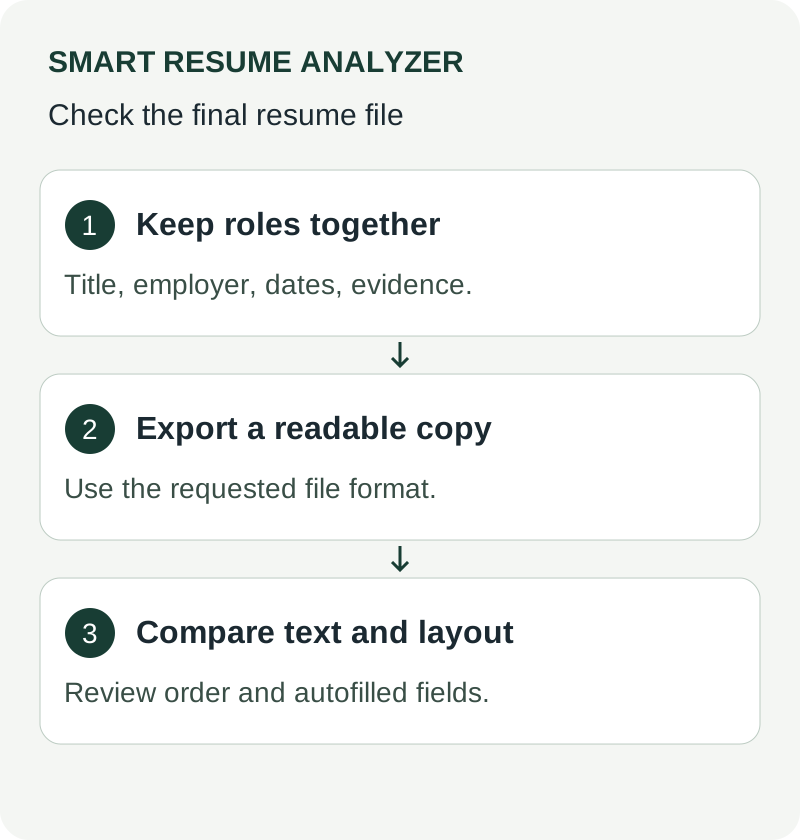
## Start with an editable, independent template Use the [plain-text starter](/downloads/ats-resume-starter.txt) or [Word-compatible starter](/downloads/resume-starter.rtf), then replace every prompt with accurate information. These are original resources from this site, not templates endorsed by a university or ATS provider. Keep titles, employers, and dates together. Export to the employer-requested format and review any autofilled fields. A clean template can reduce readability problems but cannot certify parsing, ranking, or selection across all systems. [Further guidance: CareerOneStop resume guide](https://cloudfront.careeronestop.org/JobSearch/Resumes/ResumeGuide/introduction.aspx?frd=true)Use These Tools Next
Use a working tool to apply this guidance to your own resume or job description.
Related Resume Pages
Explore related keyword and resume guidance pages to keep improving your application materials.
Using this guidance
Use these guides to check a specific part of your application. Automated feedback is guidance, not a hiring prediction. Check suggested edits against your own experience.
Related Articles
Continue with another guide on this topic.
Resume Tools
AI Resume Analyzer vs Resume Builder: What Job Seekers Actually Need
Resume builders help you create a draft. Resume analyzers help you improve one. Job seekers usually need both at different moments.
Resume Tools
Free Resume Checker vs Paid Resume Builder Tools
A free checker is often more useful before paying for a builder, because diagnostic feedback usually matters before premium layout features or paid resume rewriting.
Tool Guides
Resume Builder vs ATS Checker vs Resume Analyzer
What each resume tool actually does, which one to use at each stage of a job search, and the mistakes that come from picking the wrong one.