Google Docs Resume Template: Build and Check the Export
Create a simple Google Docs resume, preserve readable text in the export, and verify layout and application fields before submitting.
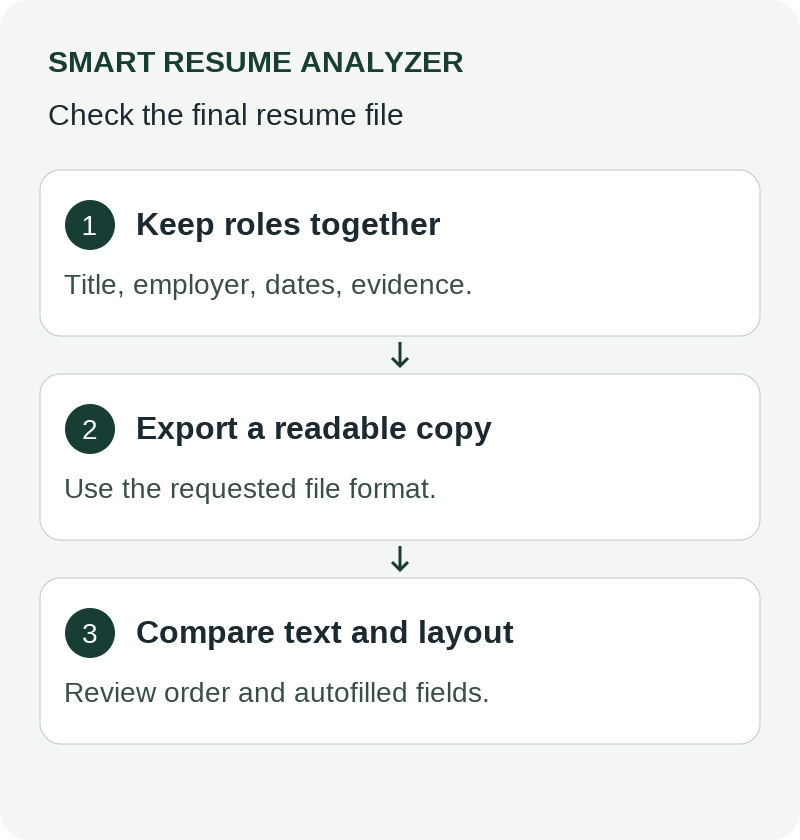
A Google Docs resume template is useful when it makes editing straightforward and keeps your experience easy to read. The exported file still needs review. A template's appearance in the editor does not establish how a hiring system will import it.
Start with a simple structure
Use a single reading flow with Name and Contact, Summary if useful, Skills, Experience, Projects if relevant, and Education. Keep essential information in the main document body rather than a header, footer, or text box.
You can use the plain-text resume starter as a structure to paste into a document. It contains prompts to replace, not candidate claims to submit unchanged.
Make formatting consistent
Use ordinary headings, one body font, consistent dates, and short bullets. Align job titles, employers, and dates so the relationship is apparent without relying on columns. Keep enough space for reading at a normal zoom.
Greenhouse identifies columns, tables, graphics, and contact details in headers or text boxes as possible parsing problems. This supports keeping important information in plain document text; it does not mean every such layout fails in every system.
Export the file the employer accepts
Google Docs supports downloading documents in different formats through its File menu. Use the format requested by the application. Inspect the downloaded file rather than assuming the preview is identical to the editor.
For a PDF, select and copy several paragraphs into a plain-text editor. Check reading order, punctuation, dates, and contact details. For a DOCX, open the export in a compatible viewer and review page breaks and list indentation. If formatting changes, simplify the source and export again.
Fill the starter with evidence
Illustrative project bullet: “Built a Node.js API for a classroom booking project and added integration tests for validation and duplicate requests.”
Adapt the structure to your work. Remove empty sections and prompts. Use accurate project labels and keep skills consistent with supporting examples. Do not add a made-up employer to complete the template.
Check the final version
- Remove all template prompts and sample text.
- Verify email, phone, and links.
- Confirm every job has the correct title, employer, and dates.
- Inspect text extraction in the parser.
- Review any imported fields in the actual application.
- Save the exact file you submit.
For an alternative layout, use the existing resume template library. A cleaner template can reduce avoidable document problems, but it cannot guarantee an interview or reproduce an employer's ATS rules.
Building a clean resume in Google Docs
Start from a blank document or a simple template, and set the page first: letter or A4 as needed, margins of about one inch and one readable font. Add your name and contact details as plain text, then use ordinary headings and bullets. Avoid tables, text boxes and images, which can cause problems when the file is exported or read by software.
Exporting correctly
Go to File, then Download, and choose PDF unless the employer asks for Word. Open the downloaded file and confirm that fonts and spacing look right. If a form needs DOCX, download that version and check it too, since conversions can change spacing.
Common problems
- Links shown as words only. Write the address in full for anything important.
- Odd line breaks after export. Check each page of the downloaded file.
- A second page with a few lines. Trim content or adjust spacing slightly.
Check the result
Open the exported file and try selecting a line of text. Then run it through the ATS parser to see the text a system would read, and use the resume score calculator to catch missing sections.
Sources and further reading
Use These Tools Next
Use a working tool to apply this guidance to your own resume or job description.
Related Resume Pages
Explore related keyword and resume guidance pages to keep improving your application materials.
Using this guidance
Use these guides to check a specific part of your application. Automated feedback is guidance, not a hiring prediction. Check suggested edits against your own experience.
Related Articles
Continue with another guide on this topic.
Cover Letters
Cover Letter Google Docs Template Guide
Find a cover letter Google Docs template, learn the right structure, and turn a simple draft into a polished application faster.
Resume Tools
AI Resume Analyzer vs Resume Builder: What Job Seekers Actually Need
Resume builders help you create a draft. Resume analyzers help you improve one. Job seekers usually need both at different moments.
ATS Optimization
Best ATS Resume Template Structure for 2026
The best ATS template is simple, readable, and structured around standard sections that make role fit easy to scan.