Compare Your Resume to a Job Description by Hand in 20 Minutes
A twenty-minute manual method to compare your resume with a job posting: list requirements, find your evidence, and mark true gaps before you edit.
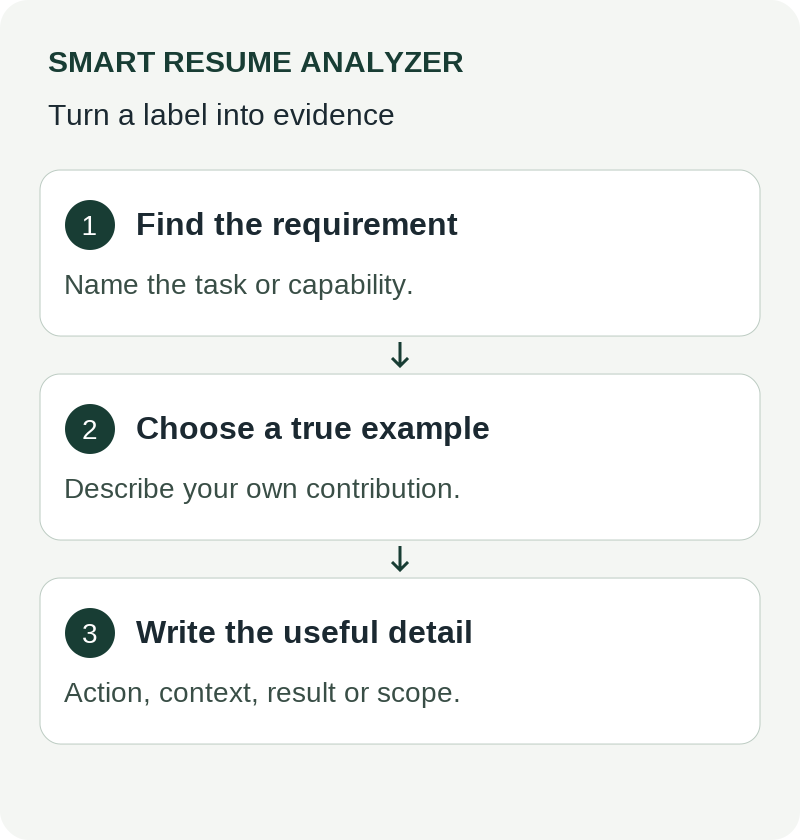
A tool can list the words in a job posting. Deciding what they mean for your resume still takes a person. This twenty-minute method gives you a comparison you can trust, whether or not you also use software, and it keeps you from adding claims you cannot support.
You need the job posting, your current resume and a blank table with four columns.
How do you list what the posting actually asks for?
Read the posting once, then copy each requirement into the first column of your table. Split the list in two: things the posting says are required, and things it describes as preferred or a plus. Note any requirement that appears in both the qualifications and the description of the work, because repetition usually signals priority.
Keep the employer's own words. If the posting says "stakeholder management", write that, not your paraphrase. You decide later which wording to use on the resume.
Where does your resume already show it?
For each requirement, find the line in your resume that shows it, and write a short note in the second column. Use three labels:
- Shown: a bullet already names the work and gives context or a result.
- Implied: you did the work but the resume uses different words or leaves it out.
- Absent: you have no experience of it.
This is the step a quick word match cannot do. It separates a wording problem from a real gap.
A worked example on a fictional posting
Take a short fictional posting for a data analyst: "Required: SQL and Tableau. Strong communication. Preferred: Python."
| Requirement | Your evidence | Label |
|---|---|---|
| SQL | Wrote weekly reporting queries for the support team | Shown |
| Tableau | Built dashboards for team leads, tool not named | Implied |
| Communication | Presented monthly findings to managers | Implied |
| Python (preferred) | None | Absent |
For this fictional candidate, the work is to name Tableau where it was used and to state who the monthly findings were presented to. Python stays off the resume, because the candidate has no experience of it. You can mention that you are learning it only if that is true and you can describe what you have done.
How do you decide what to change?
Work down the table in order:
- Implied items first. Rewrite the existing bullet with the posting's wording where it is accurate. These changes are quick and honest.
- Shown items second. Check that the strongest evidence appears near the top of the page, not buried under older roles.
- Absent required items. Decide whether to apply at all. A required item you cannot meet is a signal to weigh, not a line to invent.
- Absent preferred items. Leave them alone, or address them in a cover letter if you have relevant adjacent experience.
Change one section at a time and re-read the whole resume afterwards. Wording copied from a posting can make neighbouring lines sound repetitive.
What should you not do?
Do not paste the posting's phrases into a hidden or tiny-font block. A person or a parser that finds it will treat it as a reason to doubt the rest. Do not claim tools by name that you only watched someone else use. Do not match a posting so closely that the resume reads as a copy of it.
Common questions
How long should the comparison take?
About twenty minutes for one posting once you have done it twice. The first time takes longer because you are learning where your own evidence lives.
Can I reuse the table for similar postings?
Partly. Keep the evidence column and change the requirements. Postings for the same role often share most requirements, so the second comparison is usually much shorter.
Is a software match score the same thing?
No. A score summarises word overlap. The table above records what your experience actually supports, which is the question you need answered before you edit.
Related tools
When you have finished the table, run the same posting and resume through the resume and job description comparison and check whether its list agrees with yours. Differences are worth a second look in both directions. The keyword finder guide explains how to read that output.
Sources and further reading
These pages are independent references for the advice in "Compare Your Resume to a Job Description by Hand". Read them alongside this guide and follow your target employer's own instructions where they differ.
Use These Tools Next
Use a working tool to apply this guidance to your own resume or job description.
Related Resume Pages
Explore related keyword and resume guidance pages to keep improving your application materials.
Using this guidance
Use these guides to check a specific part of your application. Automated feedback is guidance, not a hiring prediction. Check suggested edits against your own experience.
Related Articles
Continue with another guide on this topic.
Job Search Strategy
How Resume Screening Works: Questions, Filters and Human Review
Resume screening usually combines application questions, recruiter searches and a human read. See what each stage can check and what to prepare for it.
Job Search Strategy
How to Use a Job Description Keyword Finder: Review Each Gap
Use the keyword finder with a concrete posting, check required versus preferred terms, and turn supported gaps into accurate resume edits.
Tool Guides
How To Use A Resume Tailoring Tool Without Rewriting Everything
A resume tailoring tool helps you customize one strong base resume for a target job without rewriting the whole document every time.