Harvard Resume Templates: Find the Official Resources
Find official Harvard resume resources and adapt their structure honestly. Learn what “Harvard style” means and what it cannot guarantee.
For Harvard resume templates, start with Harvard's own career-services resources rather than an unrelated download labelled “Harvard style.” The official resume, CV, and cover-letter resource page provides links to guides and samples for different student groups.
Separate source from style
“Harvard style” is often used online to describe a restrained, text-focused resume. That phrase does not establish authorship, permission, endorsement, or compatibility with a particular ATS. Check the host and the resource title before downloading. A template promoted by a third party is not automatically an official university document.
This site does not distribute a copied Harvard template or claim university affiliation. You can use our plain-text resume starter as an independent alternative and consult the official guidance for context.
Adapt the structure to your experience
An education-first student sample may not be the best order for an experienced applicant. Put the most relevant evidence where a reader can find it. A graduate might emphasize education and projects; an established engineer might lead with recent work and put education later.
For example, a fictional student's project section could include:
Service Booking Project — University coursework Built API endpoints for booking requests, wrote tests for duplicate submissions, and documented the setup for classmates.
An experienced applicant should not copy that education emphasis merely because the sample came from a prestigious institution. Likewise, do not add Harvard to your education unless you actually earned the qualification or attended the program being described.
Use the sample as a layout reference
Compare section order, date placement, and the amount of evidence in each bullet. Replace all names, organizations, and achievements. Preserve accurate descriptions of coursework, employment, and volunteering. A sample's impressive measurement is not a number you can adopt.
Check whether the employer wants a resume, a short regional CV, or an academic CV. The CV versus resume guide explains why those documents can need different lengths and sections.
Review the export
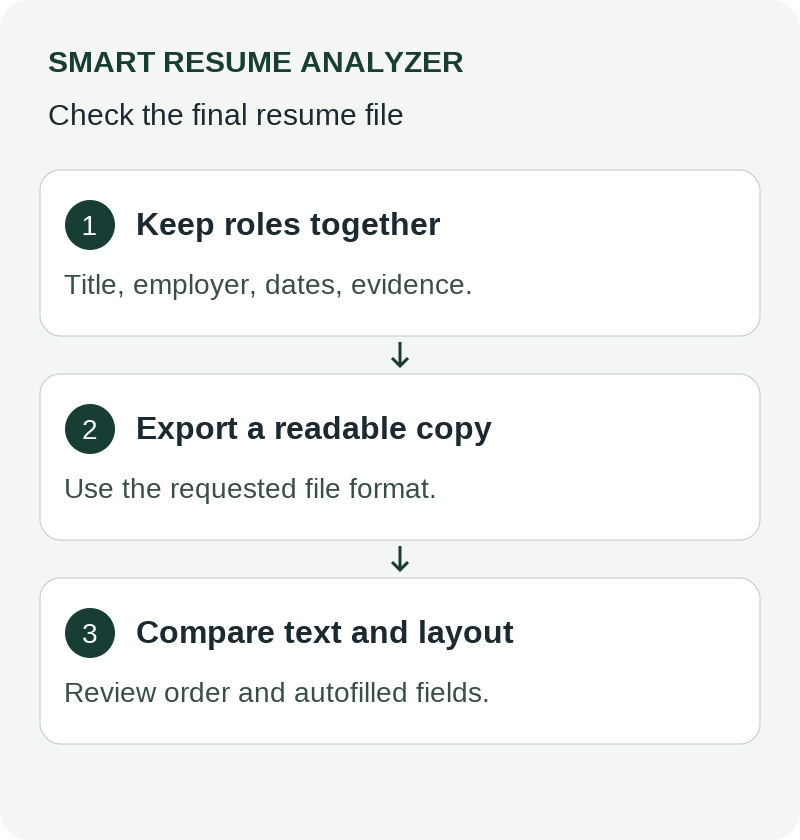
A familiar layout is still worth testing. Open the exported file, select its text, and confirm the dates stay with the correct roles. Follow the employer's file instructions and inspect any autofilled application fields. The source of a template does not guarantee an interview, a ranking, or acceptance by an employer's software.
What people mean by a Harvard-style resume
A "Harvard resume" is a plain, single-column format popularised by university career offices: your name at the top, then education, experience, and activities or skills, in reverse-chronological order with dates aligned on the right. It avoids graphics and relies on clear headings and concise bullets. It is a style, not a template you must download from one source.
Adapting the structure
- Put education first if you are a student or recent graduate; move it lower once you have professional experience.
- Use one line for each role with the title, employer, location and dates.
- Write two to four bullets per role, starting with an action and including a result where you can.
- Add a skills or additional section for languages, tools and certifications.
Limits to remember
Follow any format the employer requests. A career office's sample shows layout, not your content, so replace every placeholder with your own facts.
Check it
Export the file and test it with the ATS parser, then build a clean version in the resume builder if you want a ready layout.
Questions people ask
Is a Harvard format required? No. It is one clean style among many, and any plain single-column layout with clear headings does the same job.
Should I use a photo or colour? Keep to plain text and a single font. Extra design rarely helps and can interfere with reading.
Sources and further reading
Use These Tools Next
Use a working tool to apply this guidance to your own resume or job description.
Related Resume Pages
Explore related keyword and resume guidance pages to keep improving your application materials.
Using this guidance
Use these guides to check a specific part of your application. Automated feedback is guidance, not a hiring prediction. Check suggested edits against your own experience.
Related Articles
Continue with another guide on this topic.
Resume Tools
AI Resume Analyzer vs Resume Builder: What Job Seekers Actually Need
Resume builders help you create a draft. Resume analyzers help you improve one. Job seekers usually need both at different moments.
Resume Tools
Free Resume Checker vs Paid Resume Builder Tools
A free checker is often more useful before paying for a builder, because diagnostic feedback usually matters before premium layout features or paid resume rewriting.
Resume Templates
Microsoft Word Resume Templates: Choose, Edit, and Test
Find Microsoft Word resume templates, customize a plain layout, and inspect the exported file. Includes an original editable starter and review steps.