Microsoft Word Resume Templates: Choose, Edit, and Test
Find Microsoft Word resume templates, customize a plain layout, and inspect the exported file. Includes an original editable starter and review steps.
Microsoft Word resume templates provide a starting layout, not a finished application. Pick a design you can edit without breaking the reading order, replace all sample content, and inspect the exact file you will send.
Find a starting document
Microsoft's support instructions describe searching for resume templates when creating a new Word document. The available gallery can differ by version, account, or connection. If a suitable layout is unavailable, use the original Word-compatible resume starter, or paste the plain-text starter into a blank document.
Our starter is an original single-column document. It is not a Microsoft product or a licensed copy of another publisher's template. Save an editable working copy before replacing the prompts.
Choose by structure
Prefer a layout that keeps your contact line, experience, skills, and education as readable text. A colorful sidebar may look attractive but can make dates or contact details harder to copy in order. Do not rely on an icon as the only label for a phone number or email address.
For a fictional support applicant, the first experience block might read:
Support Associate — Example Company January 2024–Present Maintained a shared escalation log and recorded the next owner for unresolved account issues.
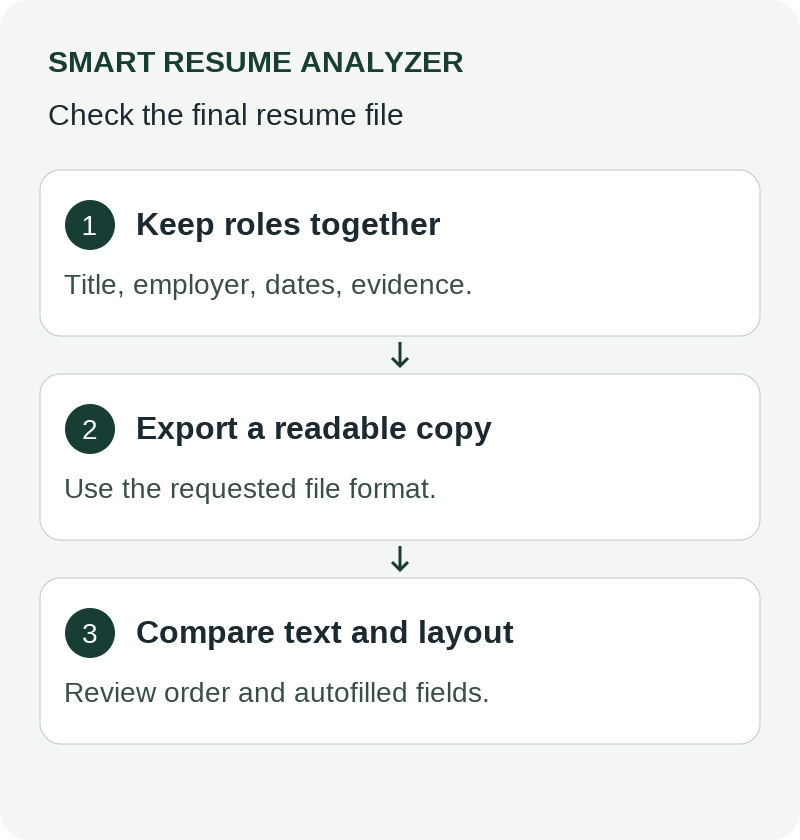
The block keeps the title, employer, dates, and evidence together. Replace it with your own work and avoid borrowing the dates merely to make the page look complete.
Customize without damaging the layout
Use consistent heading styles and spacing. Delete unused sections rather than leaving blank sample headings. When adding a role, copy the whole role block so the date and bullet formatting stay consistent. Remove placeholder links, stock contact details, and any decorative element that obscures text.
If the resume becomes too long, rank the evidence for the target role before reducing type size. The resume length guide helps decide which material deserves space.
Test the final file
Follow the employer's accepted formats. Open the saved DOCX or exported PDF and copy a section into a plain-text editor. Check the reading order, bullet characters, dates, and line breaks. Review any fields the employer's portal autofills after upload. A local readability check can reveal problems, but it cannot guarantee the behavior of every hiring platform.
Starting from a template without the baggage
Word offers many resume templates, but some use tables, text boxes and decorative elements that can confuse software and make editing hard. Choose a simple template with a single column and standard headings, or start from a blank document and build the structure yourself.
Making a template your own
- Replace all placeholder text and delete unused sections.
- Check that fonts, sizes and spacing are consistent.
- Convert any text box or table that holds important content into ordinary paragraphs.
- Keep your contact details in the body, not in the header or footer.
Saving and sharing
Save as DOCX for editing and export a PDF if the employer allows it. Name the file with your name and the role. Open the exported version and confirm it looks right.
Check the output
Test the saved file with the ATS parser, and use the resume score calculator to confirm the sections are recognised. The resume builder offers templates designed to extract cleanly.
Questions people ask
Can I use a template with a sidebar? It can look good, but sidebars are often built with tables or text boxes. Test the exported file, and switch to a single column if the text reads out of order.
Should I send DOCX or PDF? Follow the employer's instruction. If none is given, a PDF keeps layout stable, while a DOCX is easier for them to edit.
Sources and further reading
Use These Tools Next
Use a working tool to apply this guidance to your own resume or job description.
Related Resume Pages
Explore related keyword and resume guidance pages to keep improving your application materials.
Using this guidance
Use these guides to check a specific part of your application. Automated feedback is guidance, not a hiring prediction. Check suggested edits against your own experience.
Related Articles
Continue with another guide on this topic.
Resume Tools
AI Resume Analyzer vs Resume Builder: What Job Seekers Actually Need
Resume builders help you create a draft. Resume analyzers help you improve one. Job seekers usually need both at different moments.
Resume Tools
Free Resume Checker vs Paid Resume Builder Tools
A free checker is often more useful before paying for a builder, because diagnostic feedback usually matters before premium layout features or paid resume rewriting.
Resume Templates
Harvard Resume Templates: Find the Official Resources
Find official Harvard resume resources and adapt their structure honestly. Learn what “Harvard style” means and what it cannot guarantee.