Remote Interview Prep: Written, Video and Technical
Prepare for remote hiring stages with a job-description evidence map, async answers, technical exercises, and a practical setup checklist.
Remote hiring can include a live call, written screening, recorded answers, or a technical exercise. Ask which stages apply and what materials are allowed. Prepare for the stated process rather than assuming every remote employer uses the same sequence.
Build an evidence map from the posting
Choose the core responsibilities and attach a real example to each. For an engineering position, the map might cover API delivery, incident handling, testing, and collaboration. Mark requirements where your experience is adjacent or missing. Prepare an honest explanation rather than improvising a claim during the interview.
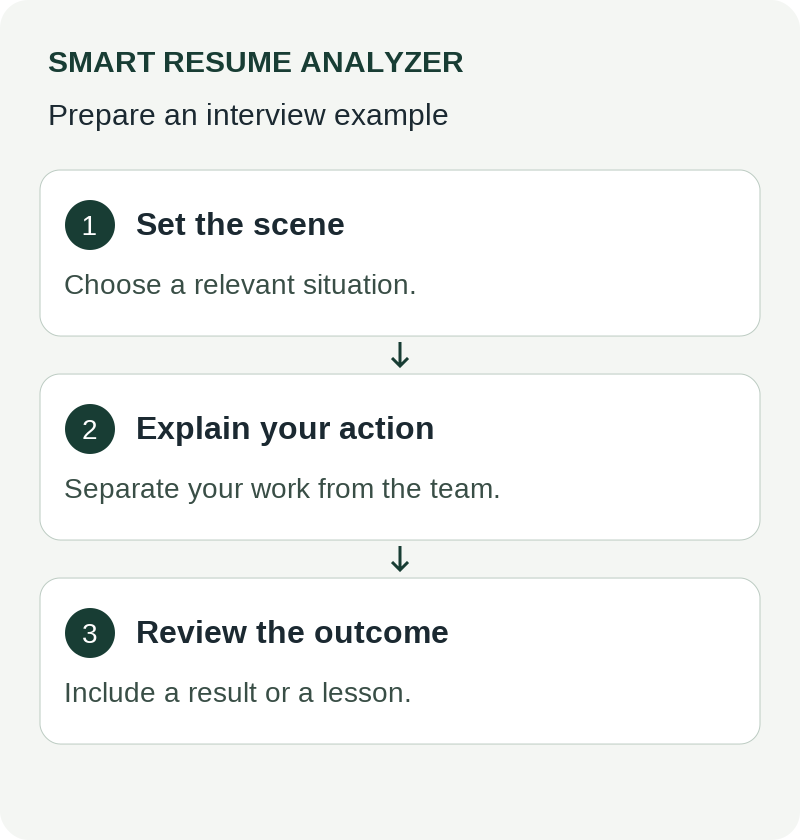
For every example, write the situation, your task, your action, and the result. Distinguish your contribution from the team's work. If an outcome was not measured, describe the verified behavior or delivery instead of inventing a metric.
Practice written screening
Answer the actual question first, then give a concise example. For “How do you communicate blockers remotely?”, explain the channel, information, and follow-up you used. “I am an excellent communicator” provides little evidence.
Proofread employer and role names. Preserve your own voice in AI-assisted drafts and follow the employer's instructions about assistance. Never submit confidential code or internal documents as supporting material.
Prepare for live and recorded video
Test the microphone, camera, connection, and meeting link ahead of time. Read the instructions for time limits, retries, captions, and accessibility support. Keep useful notes short enough to glance at rather than read as a script.
For recorded responses, practice a direct opening and one example. If something goes wrong, follow the platform's help process or contact the employer through its stated channel. Do not assume a local practice tool recreates the scoring or review of a hiring platform.
Handle technical exercises deliberately
Confirm scope, time expectations, permitted tools, and deliverables. Begin with a small correct solution, explain assumptions, and include meaningful tests. Document unfinished work honestly. For system-design discussions, connect architecture choices to requirements and failure modes rather than listing technologies.
If the assignment is unusually broad or requests production work, clarify expectations with the employer before investing substantial time. Keep your existing commitments and confidentiality obligations in view.
Use the submitted version
Prepare from the resume and cover letter actually sent. Review dates, project links, skills, and claims. Save the posting and questions alongside the application record so that later interviews use the same context.
Before the call
- Confirm time zone and local time.
- Keep the meeting link and a backup contact method available.
- Open only permitted notes and materials.
- Prepare questions about role responsibilities, collaboration, and expectations.
- Review one example of a success, a failure, and a trade-off.
Use interview prep to draft practice prompts and the application tracker to retain the role context. Generated questions are practice aids, not a prediction of the employer's questions.
Setting up before the call
Check your equipment the day before: camera, microphone, headphones and internet connection, and open the meeting link early. Choose a quiet space with the light in front of you, a plain background and your notes out of view or on a second screen. Close other applications and silence notifications.
During the interview
Look at the camera when you speak, keep answers focused, and pause briefly before replying. If the connection fails, say so and offer to continue by phone. Have a pen and your resume to hand, and have a glass of water.
Recorded and one-way interviews
Some employers use recorded video questions with a time limit. Read the instructions, practise with a timer, and prepare short examples that fit in the time given.
After the interview
Send a brief thank-you, and note what questions came up. Use the interview prep tool to practise, and have your resume ready in the format the employer asked for, checked with the ATS parser.
Sources and further reading
Use These Tools Next
Use a working tool to apply this guidance to your own resume or job description.
Related Resume Pages
Explore related keyword and resume guidance pages to keep improving your application materials.
Using this guidance
Use these guides to check a specific part of your application. Automated feedback is guidance, not a hiring prediction. Check suggested edits against your own experience.
Related Articles
Continue with another guide on this topic.
Career Advice
How to Check Resume Claims Before You Apply
Audit your resume metrics, ownership claims, skills, and dates with a claim ledger that helps you explain each statement accurately in an interview.
Job Search Strategy
Preparing for a Recorded Video Interview
Preparing for a recorded video interview: read the instructions closely, build concise examples for camera, and ignore guesswork about AI scoring.
Tool Guides
How To Use An Apply Kit For Faster Cover Letters And Interview Prep
An apply kit connects resume analysis, cover letter drafting, and interview prep so your application workflow stays faster and more consistent.