How to End a Cover Letter: Closings and Sign-offs
End a cover letter with a concise next-step request, a professional sign-off, and accurate contact details. Includes adaptable closing examples.
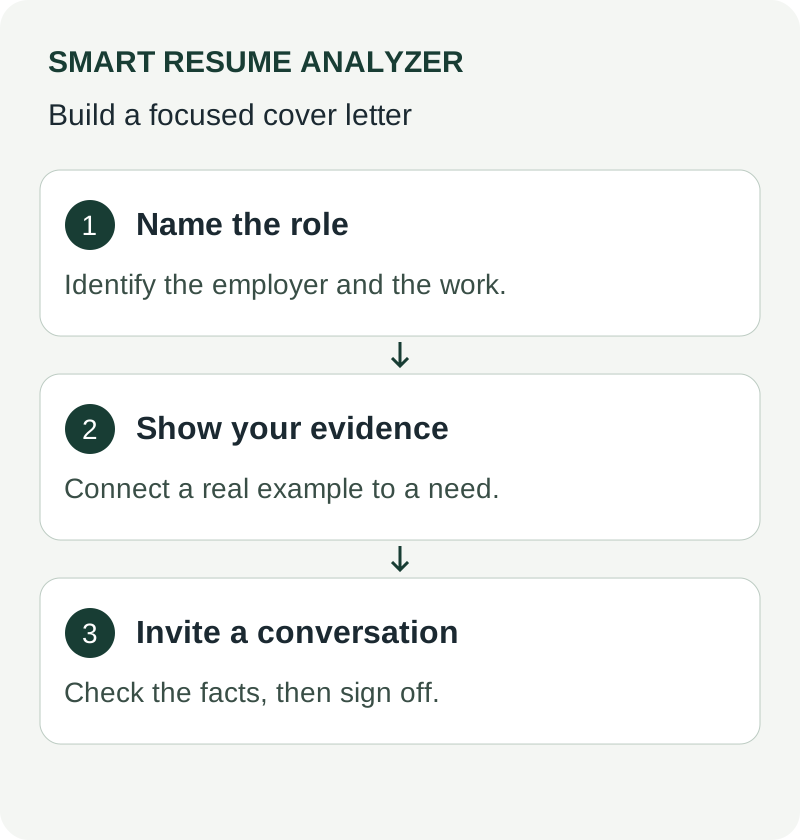
End a cover letter by connecting your evidence to a conversation about the role, thanking the reader, and signing your name. The closing should finish the argument rather than introduce another project or repeat your entire opening.
What belongs in the last paragraph
Use the space to express interest in discussing the job and, where relevant, confirm an availability detail the employer requested. A simple interview request is enough. Avoid promising to call on a particular day unless the advert invites calls or you have agreed that next step with a recruiter.
Do not make an unsupported guarantee such as “I will double your revenue.” A letter can explain your relevant experience, but future performance depends on context you may not know. Salary and notice-period details belong here only when the employer asks for them.
Closing examples you can adapt
General application: “I would welcome a conversation about how my support operations experience could contribute to your service team. Thank you for considering my application.”
Technical role: “I would be glad to explain the API migration described above and discuss your team's integration priorities. Thank you for your time.”
Requested availability: “I am available for interviews on weekday afternoons and can provide additional project details if helpful. Thank you for reviewing my application.”
All three examples are illustrative. Keep only wording that accurately describes your situation. A recruiter may need a different availability format, so follow the instructions in the message or portal.
Select a sign-off and finish the document
“Sincerely,” and “Best regards,” are practical options for a professional application. Put your full name underneath and use the same spelling as your resume. A digital application normally does not need a scanned signature unless the employer requests one. A signature image also should not be your only readable name.
Check that the final paragraph stays with the sign-off on the same page. In an email, a short contact signature can help; in an attached letter, avoid repeating a long contact block already at the top. Open the attachment after exporting and confirm the page count, filename, and company name. Use the cover-letter review checklist for the remaining checks.
Sources and further reading
Use These Tools Next
Use a working tool to apply this guidance to your own resume or job description.
Related Resume Pages
Explore related keyword and resume guidance pages to keep improving your application materials.
Using this guidance
Use these guides to check a specific part of your application. Automated feedback is guidance, not a hiring prediction. Check suggested edits against your own experience.
Related Articles
Continue with another guide on this topic.
Job Search Strategy
How to Write a Cover Letter That Doesn't Sound AI-Generated in 2026
Replace generic wording with specific motivation and evidence from your work. Review AI-assisted drafts for accuracy and your own voice.
Cover Letters
AI Cover Letter Optimization for IT Applications
Learn how AI cover letter optimization helps IT candidates tailor applications faster with a better **cover letter builder** and resume alignment.
Job Search Strategy
Preparing a Cover Letter for an Online Application
Make a cover letter readable, relevant, and consistent with your resume without assuming that every portal scores it.