Cover Letter Review Checklist Before You Apply
The Challenge A strong draft can still miss the mark. Small issues in tone, structure, or formatting can weaken an application before a recruiter reads the f…
The problem
A strong draft can still miss the mark. Small issues in tone, structure, or formatting can weaken an application before a recruiter reads the first line.
Job seekers need a fast final check. It should catch errors, confirm tailoring, and make sure the cover letter feels ready to submit.
How Smart Resume Analyzer helps
Smart Resume Analyzer gives customers a practical way to review a cover letter before sending it. The platform supports a cover letter builder, cover letter generator, resume builder, resume and cover letter builder, and resume builder with ai workflow, so users can move from draft to review to export in one place.
It also includes resume parsing, ATS readability reports, a job-description matcher, and skills and keyword guidance. That makes it easier to check whether the application is aligned, readable, and ready for recruiter review.
Cover Letter Review Checklist
Use these 10 checks before submitting:
Target role is clear
The letter names the role and matches the job request.Company name is correct
No placeholders, typos, or outdated employer names.Opening feels specific
The first lines show real interest, not a generic intro.Core value is easy to see
The letter explains what the customer brings to the role.Tone stays professional
The writing sounds confident, polite, and direct.Length stays focused
The letter keeps only what supports the application.Formatting is consistent
Spacing, fonts, and paragraph breaks look clean.Grammar and spelling are checked
The final draft has no obvious language errors.Keywords match the job
Relevant terms appear naturally, where they fit.Submission details are ready
The file name, format, and version are correct.
How It Works
Customers draft a cover letter in Smart, then run a final review before submitting. The job-description matcher helps compare the draft to the role, while skills and keyword extraction highlights important terms to check. If revisions are needed, users can update the letter in the cover letter builder and export a cleaner final version in PDF, DOC, or TXT.
Why Smart
Free AI resume analysis before submission
ATS checks for readability and screening review
Resume and cover letter builder in one workflow
Exportable analysis reports for saving or sharing
Editorial blog and help center for guidance and methodology
Ready to Review Your Draft?
Start with Smart Resume Analyzer and turn a rough cover letter into a submission-ready application.
Get started at smartresumeanalyzer.com
Contact Information
Version 1.0 | September 26, 2026
Related tools
A manual check for “check my cover letter” searches
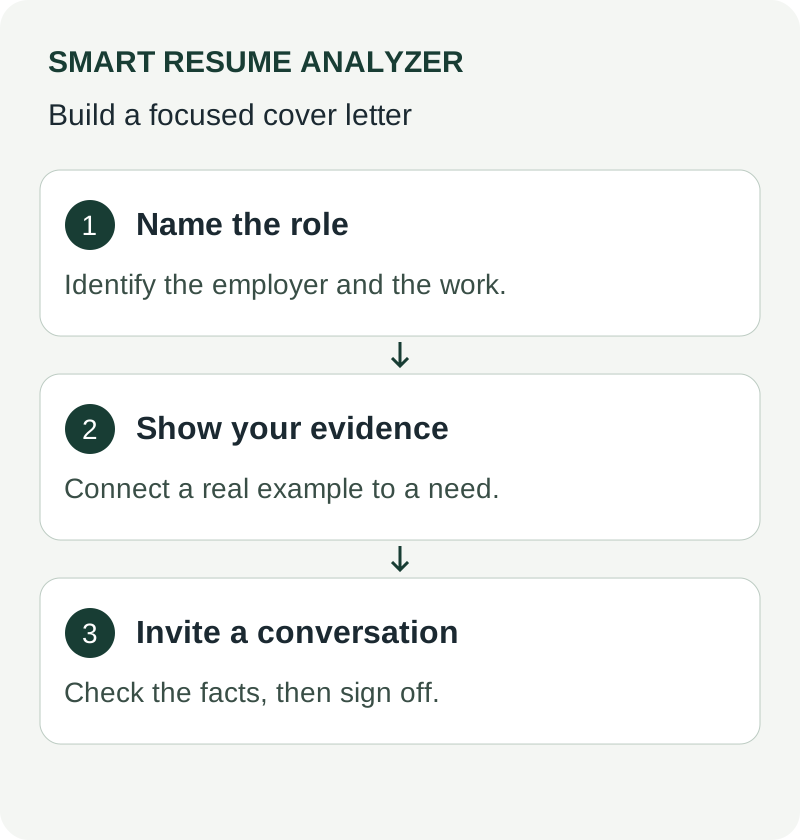
Review the letter against the posting and the resume. Verify the employer and role names, identify the sentence carrying your strongest evidence, and remove claims not supported by your actual work. Read the opening aloud: it should explain a specific reason for this application rather than fit any employer.
Compare dates, titles, qualifications, and metrics with the resume. Then check the exported file and the application's attachment instructions. A cover-letter analyzer or scanner can suggest edits; it does not establish that a recruiter will read the letter or that the employer uses a universal keyword score.
Harvard's guidance describes the letter's narrative role. Use resume versus cover-letter keywords to decide which evidence belongs in each document.
Use These Tools Next
Use a working tool to apply this guidance to your own resume or job description.
Related Resume Pages
Explore related keyword and resume guidance pages to keep improving your application materials.
Using this guidance
Use these guides to check a specific part of your application. Automated feedback is guidance, not a hiring prediction. Check suggested edits against your own experience.
Related Articles
Continue with another guide on this topic.
Cover Letters
Cover Letter Templates That Help You Apply Faster
Cover letter templates that help you apply faster, with a simple ATS-friendly structure you can tailor to any job in minutes.
Cover Letters
AI Cover Letter Optimization for IT Applications
Learn how AI cover letter optimization helps IT candidates tailor applications faster with a better **cover letter builder** and resume alignment.
Tool Guides
How To Use An Apply Kit For Faster Cover Letters And Interview Prep
An apply kit connects resume analysis, cover letter drafting, and interview prep so your application workflow stays faster and more consistent.